
1. What is the Vine Boom Sound? (Definition & Vibe)
The Vine Boom Sound is a deep, bass-heavy “boom” effect widely used in meme editing to exaggerate moments for comedic or dramatic impact.
Vibe Breakdown:
- Comedic exaggeration: turns ordinary situations into something over-the-top
- Mock drama: adds fake intensity to trivial moments
- Punchline enhancer: acts like an audio exclamation point
- Sudden impact: grabs attention instantly without being too aggressive
It works best when:
- Someone says something awkward or questionable
- A character suddenly realizes something
- A moment becomes unintentionally funny
2. Origin & Viral Explosion (E-E-A-T)
The sound became popular during the era of Vine (2013–2016), where creators relied on quick, punchy edits.
Why it went viral:
- Perfect for short-form content timing
- Easy to reuse and remix
- Works across multiple content types
It later spread across platforms like TikTok and YouTube, becoming a core element of modern meme editing.
Evolution:
- Widely used in “zoomer editing” style
- Frequently combined with zoom effects, captions, and visual distortion
- Became a standard sound in meme soundboards and livestream setups
3. Viral Editing Playbook (Creative Coaching)
Golden Timing Rule:
Insert the Vine Boom exactly at the moment of realization or impact.
Scenario 1: Gaming Clip
- Situation: unexpected defeat or mistake
- Editing approach:
- Freeze frame on reaction
- Zoom into character or face
- Insert Vine Boom at peak moment
Scenario 2: Daily Vlog
- Situation: accidental fail (dropping food, tripping, etc.)
- Editing approach:
- Slow motion before impact
- Add Vine Boom at contact moment
- Cut to reaction
Scenario 3: Storytelling / TikTok
- Situation: revealing a surprising or ironic detail
- Editing approach:
- Pause for suspense
- Quick zoom
- Vine Boom + text overlay
Pro Editing Tips:
- Keep audio gain around -6dB to avoid distortion
- Use very short duration (0.5–1 second)
- Combine with:
- Zoom-in (120–140%)
- Screen shake
- Motion blur
- Avoid overusing; timing matters more than quantity
4. Multi-Platform Technical Guide
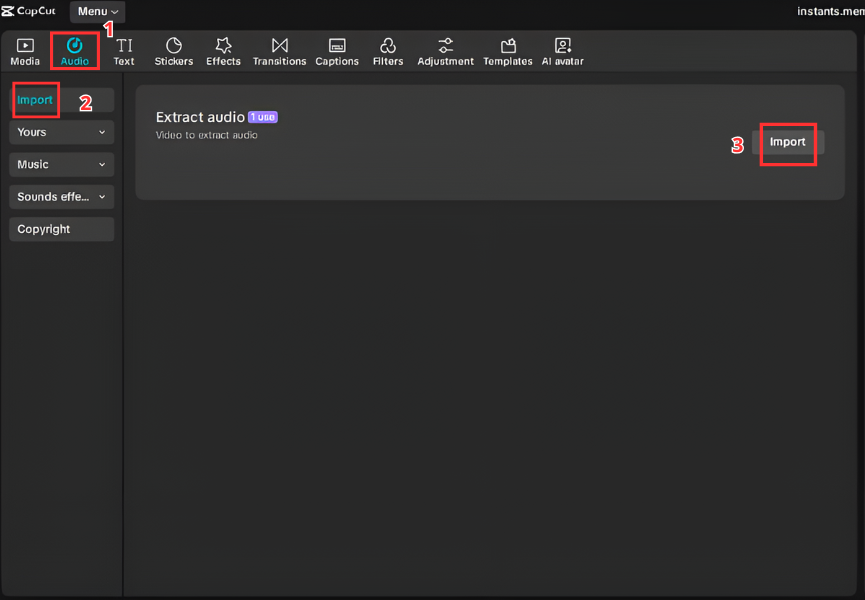
A. For Video Editors (CapCut & Premiere)
Steps:
- Import video and Vine Boom sound
- Drag audio into the timeline
- Align with the key frame (impact moment)
- Trim to keep it short
- Adjust volume if needed
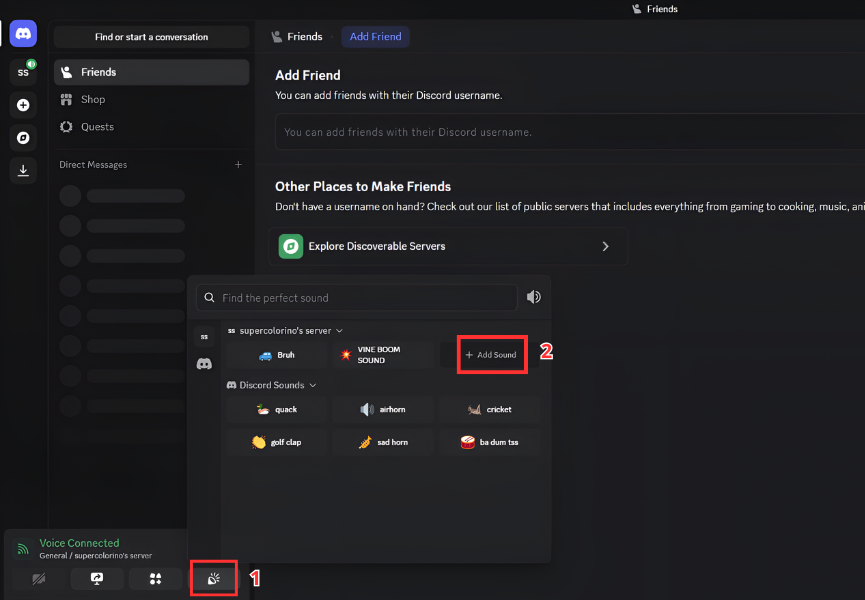
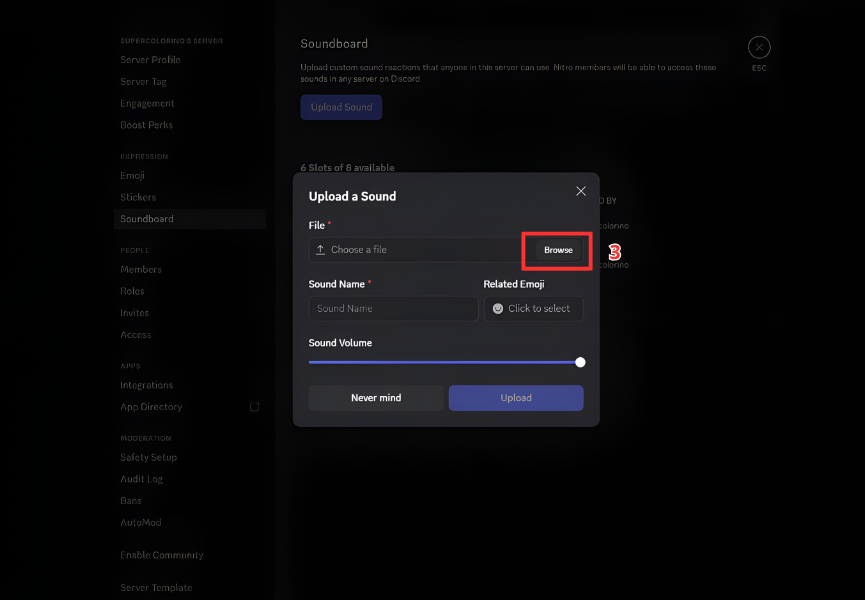
B. For Streamers & Gamers (Discord & OBS)
Discord:
- Open server settings
- Upload the sound file to Soundboard
- Assign it to a slot
OBS:
- Add a Media Source
- Load the Vine Boom file
- Assign a hotkey (e.g. F1)
- Trigger it during livestream
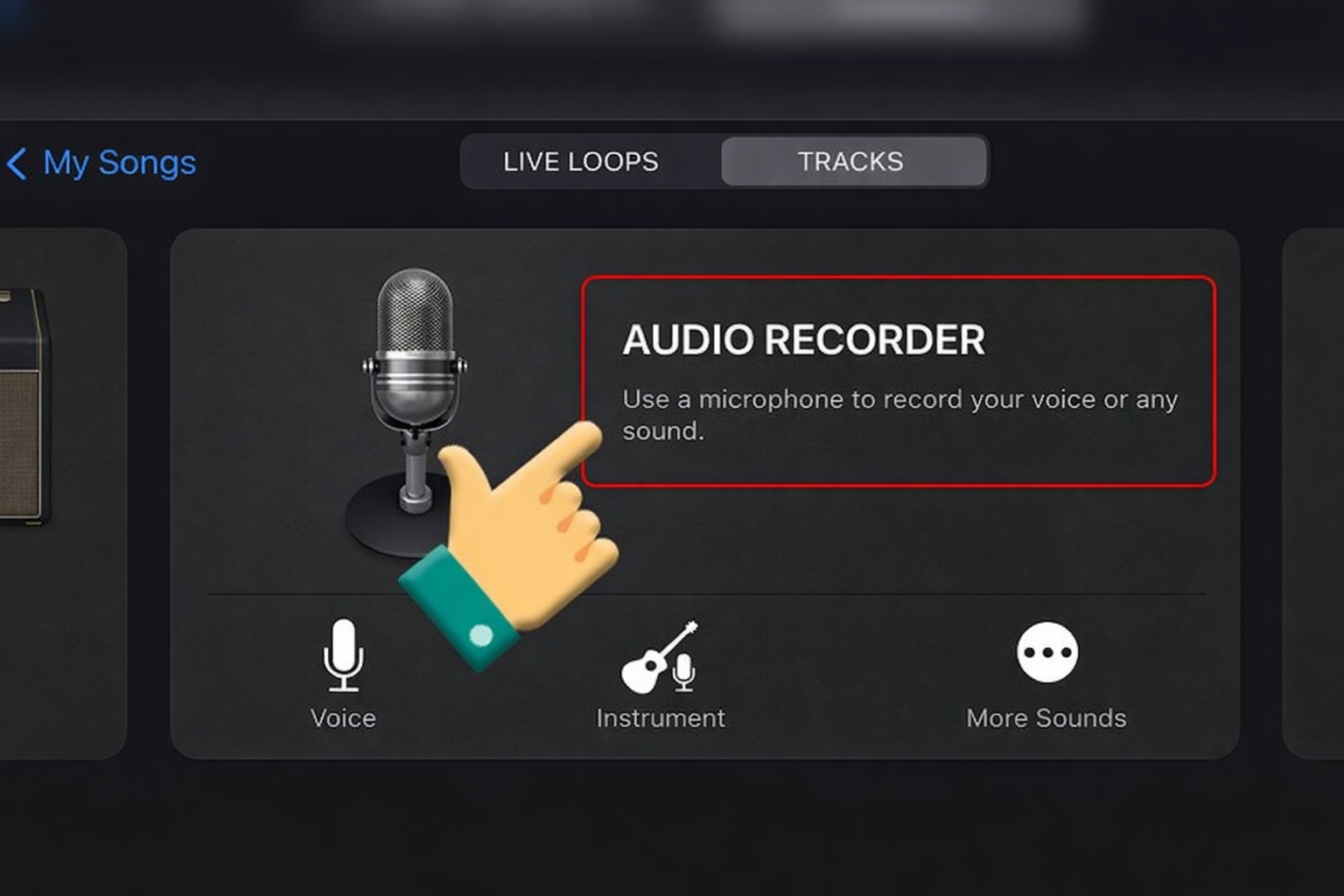
C. For Mobile (Ringtone & Notifications)
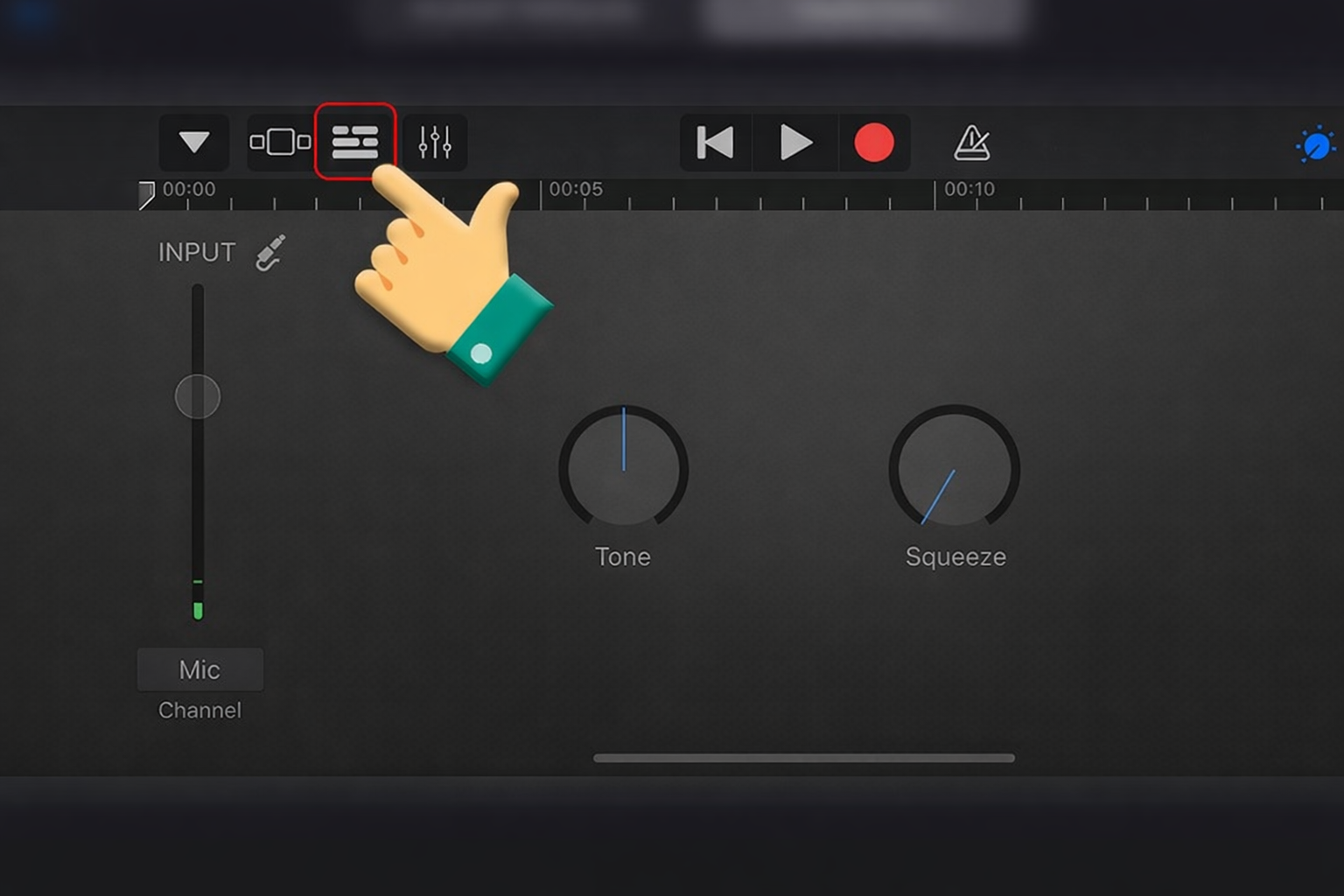
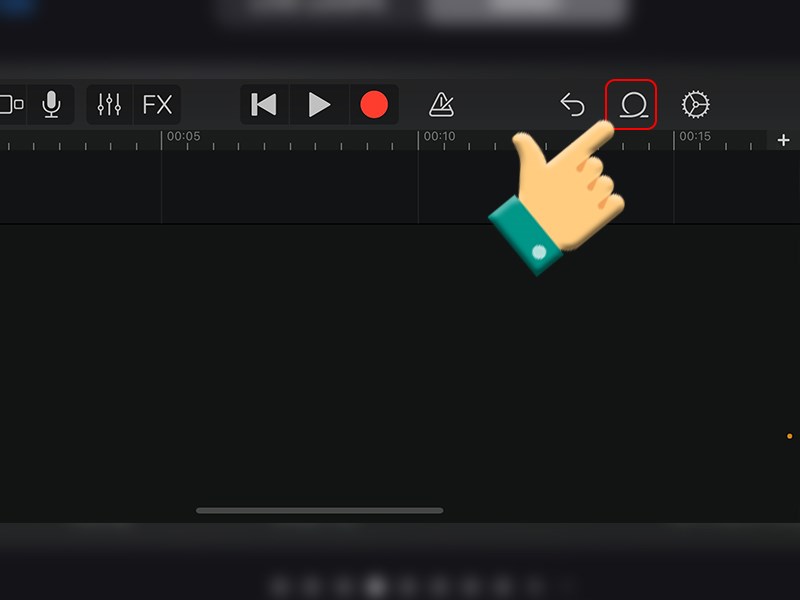
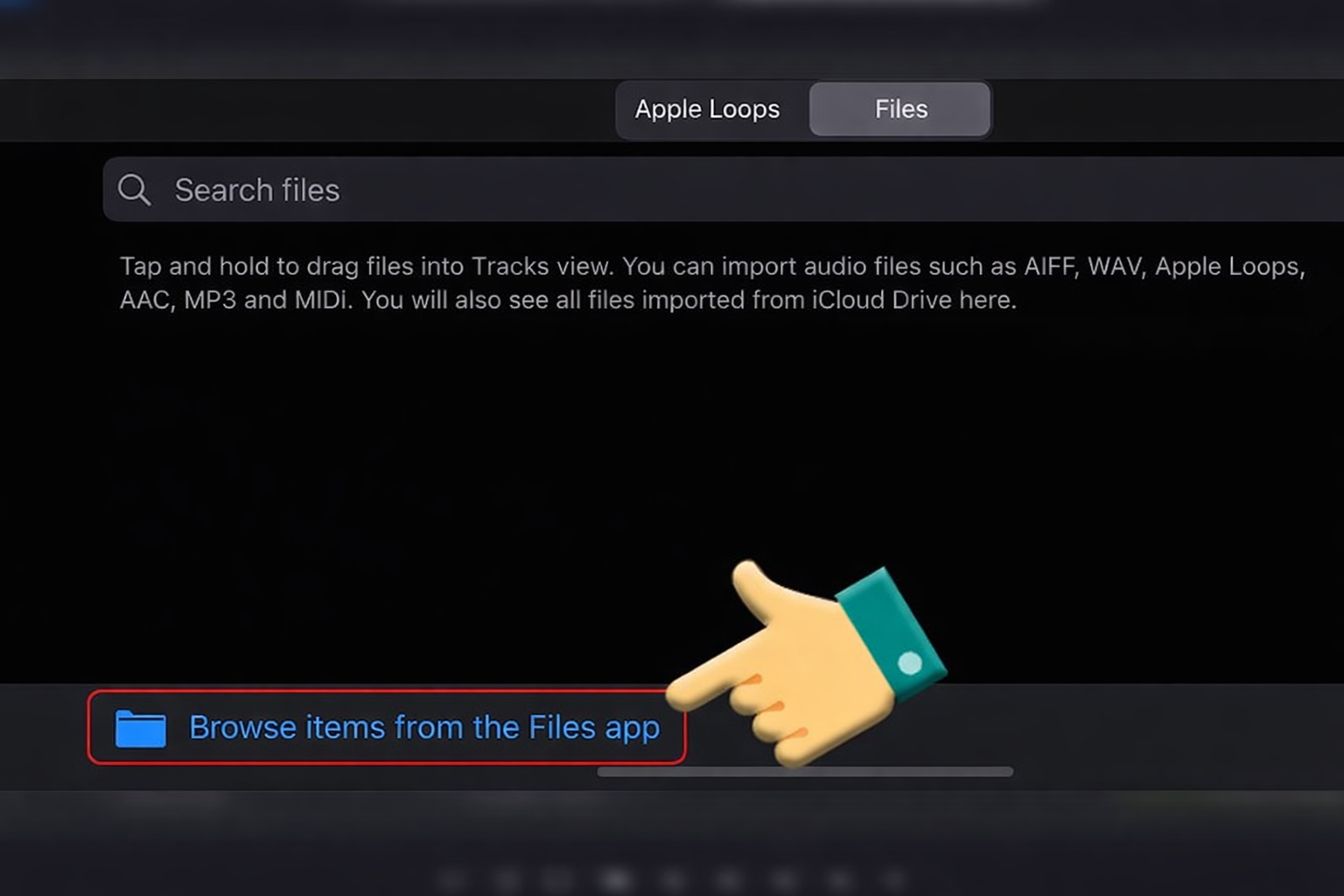
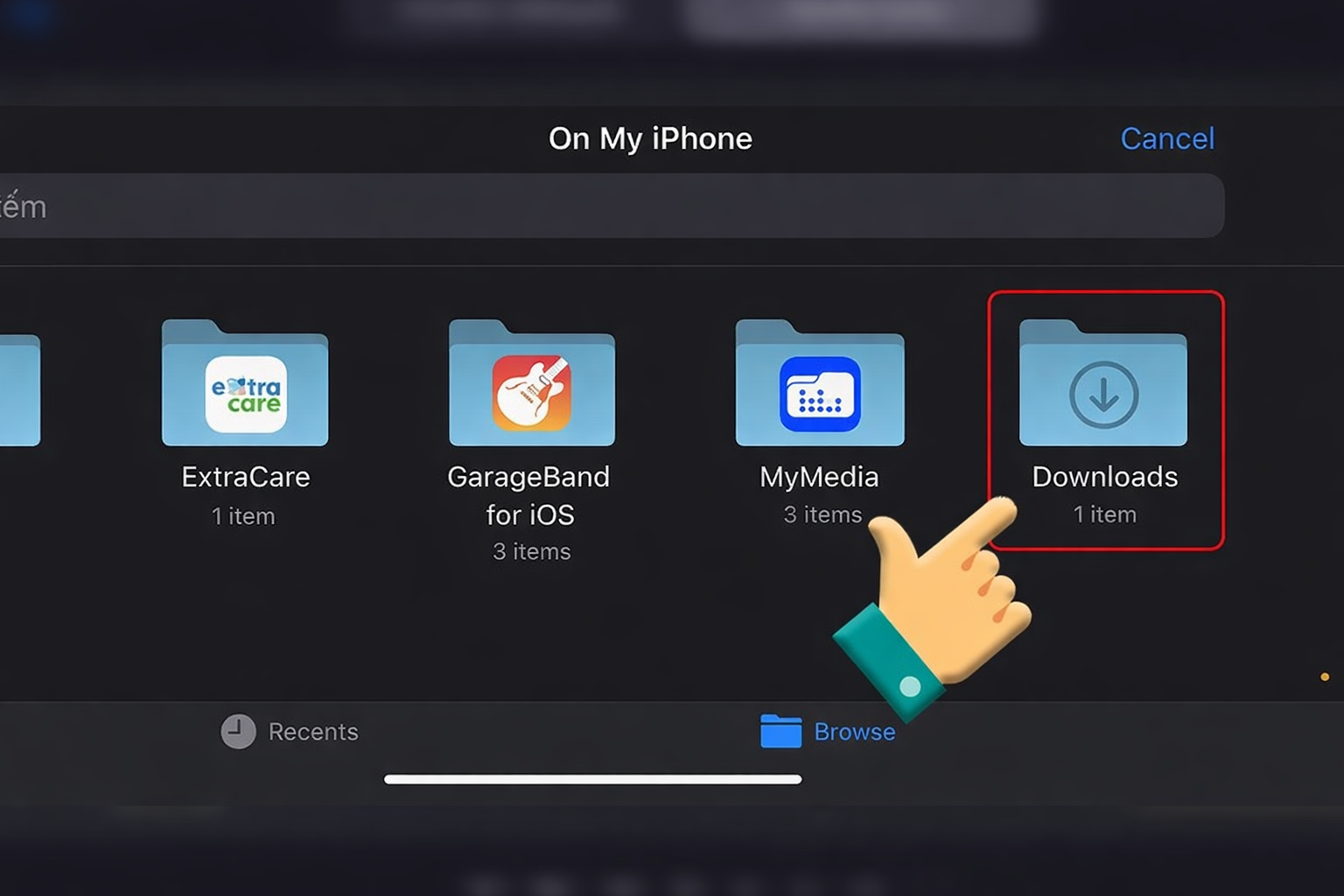
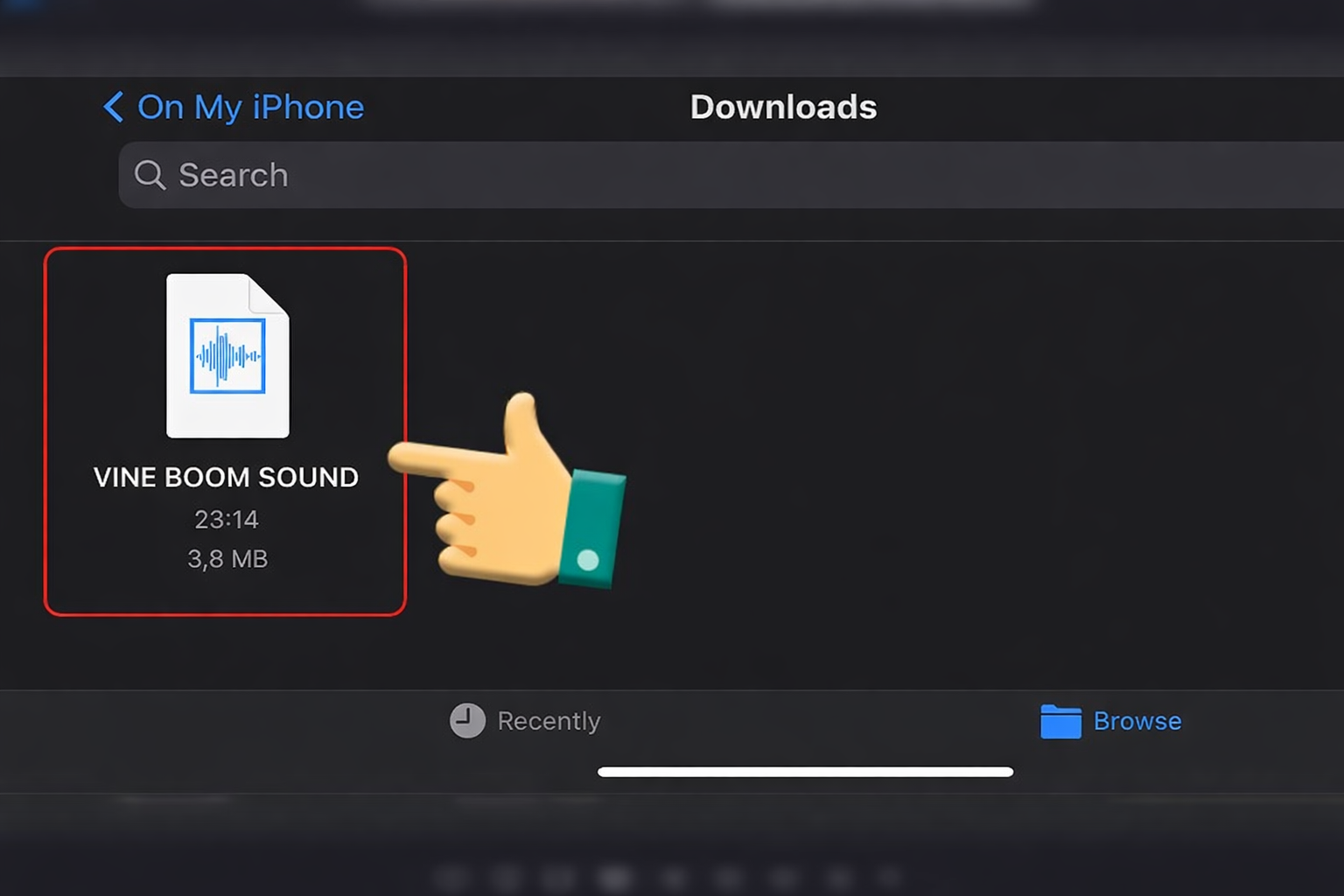
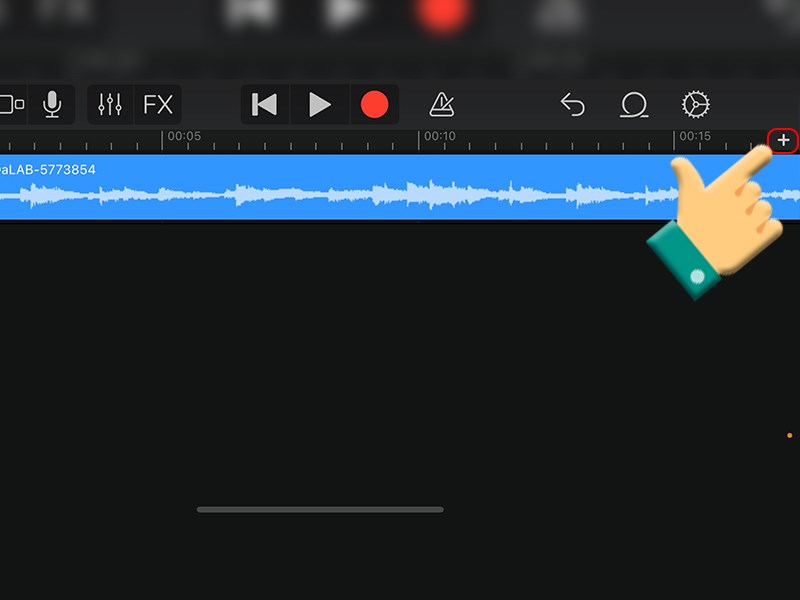
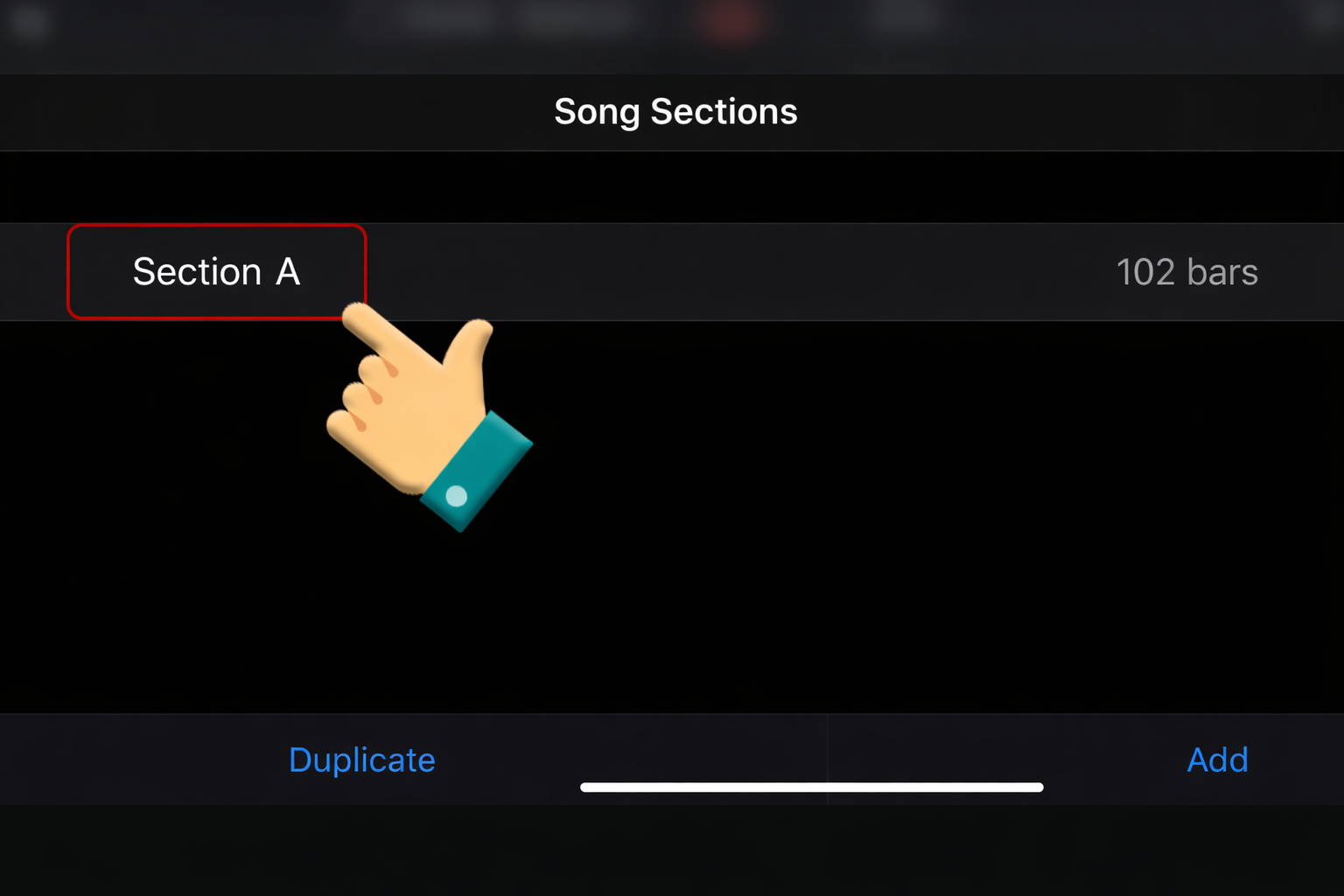
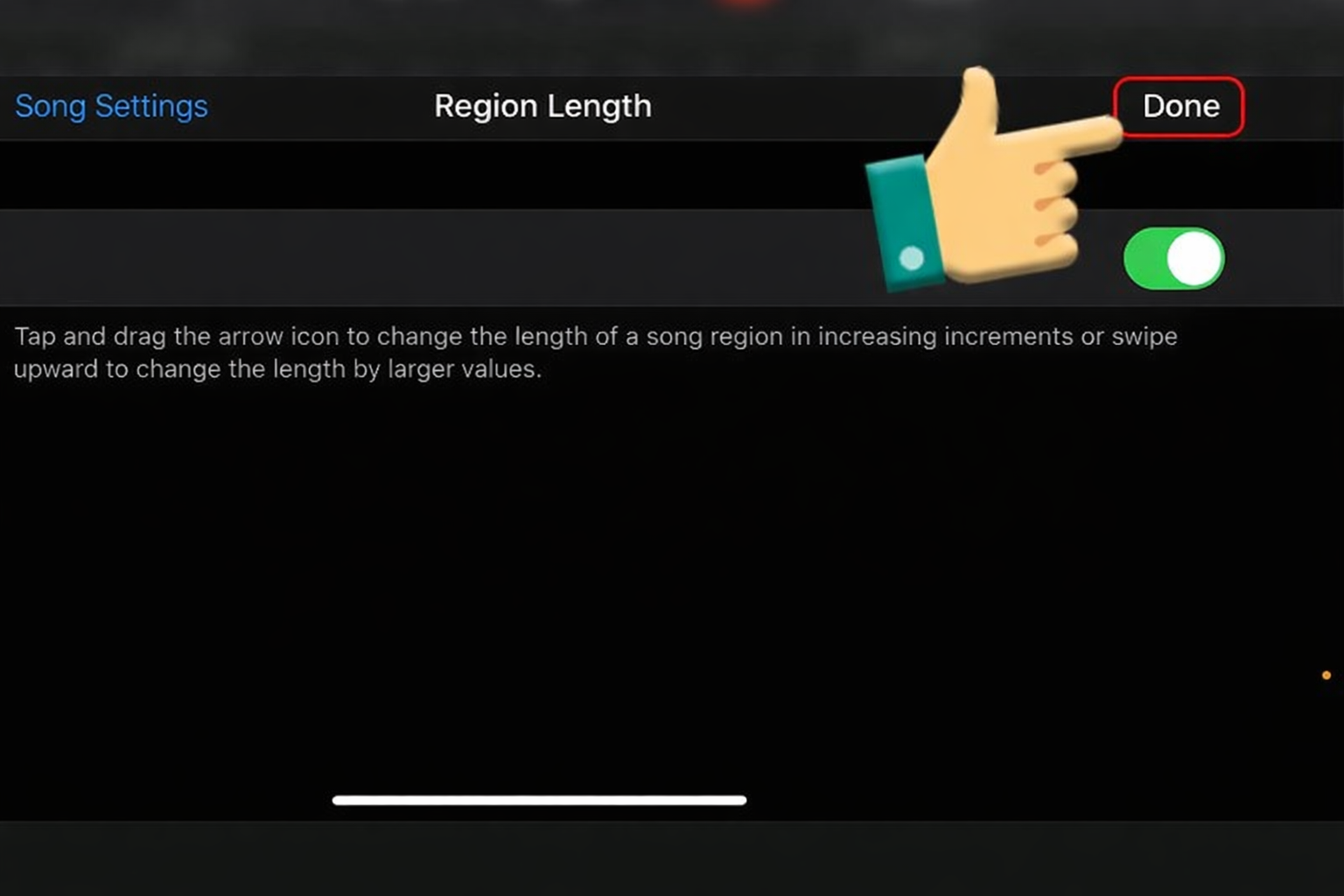
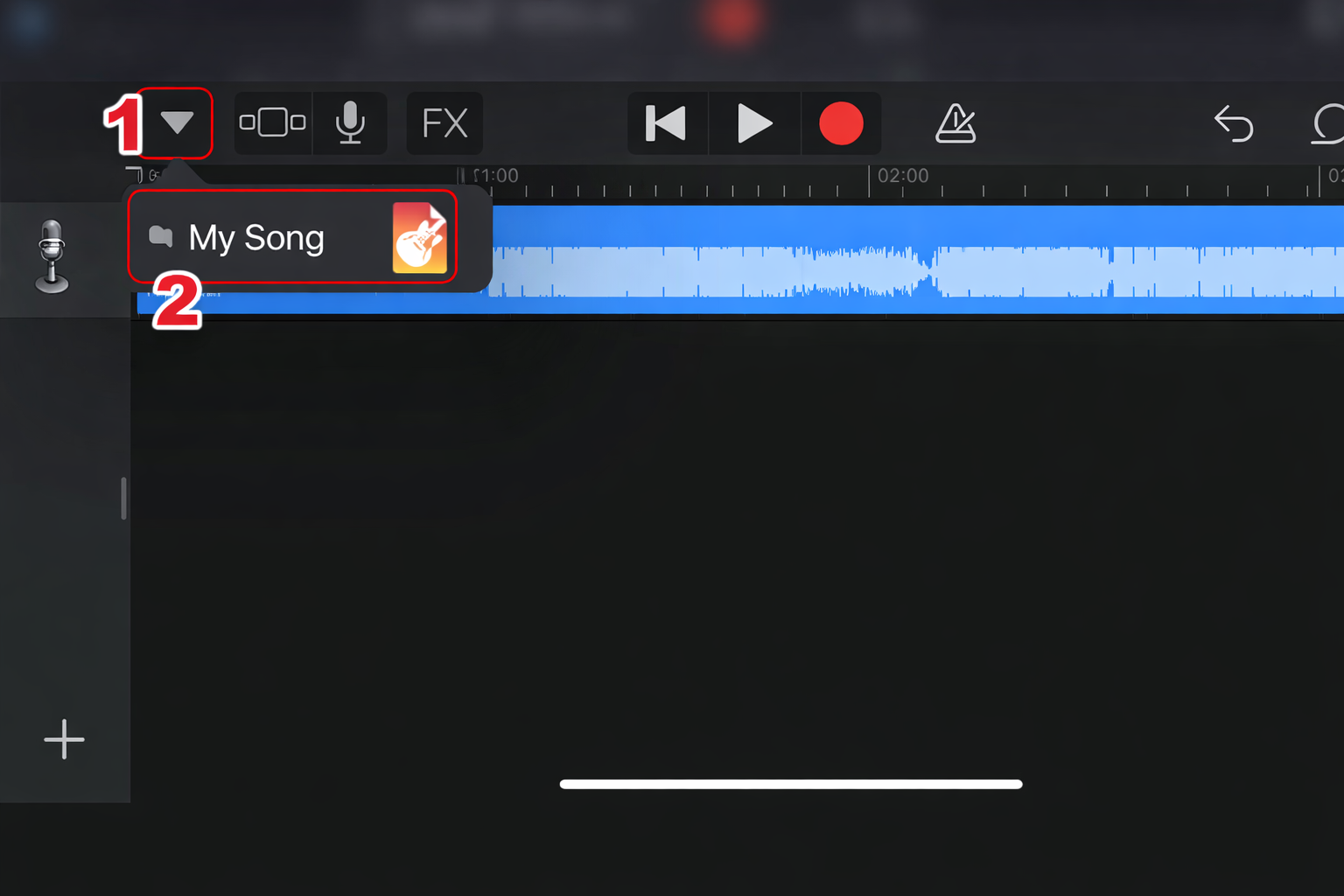
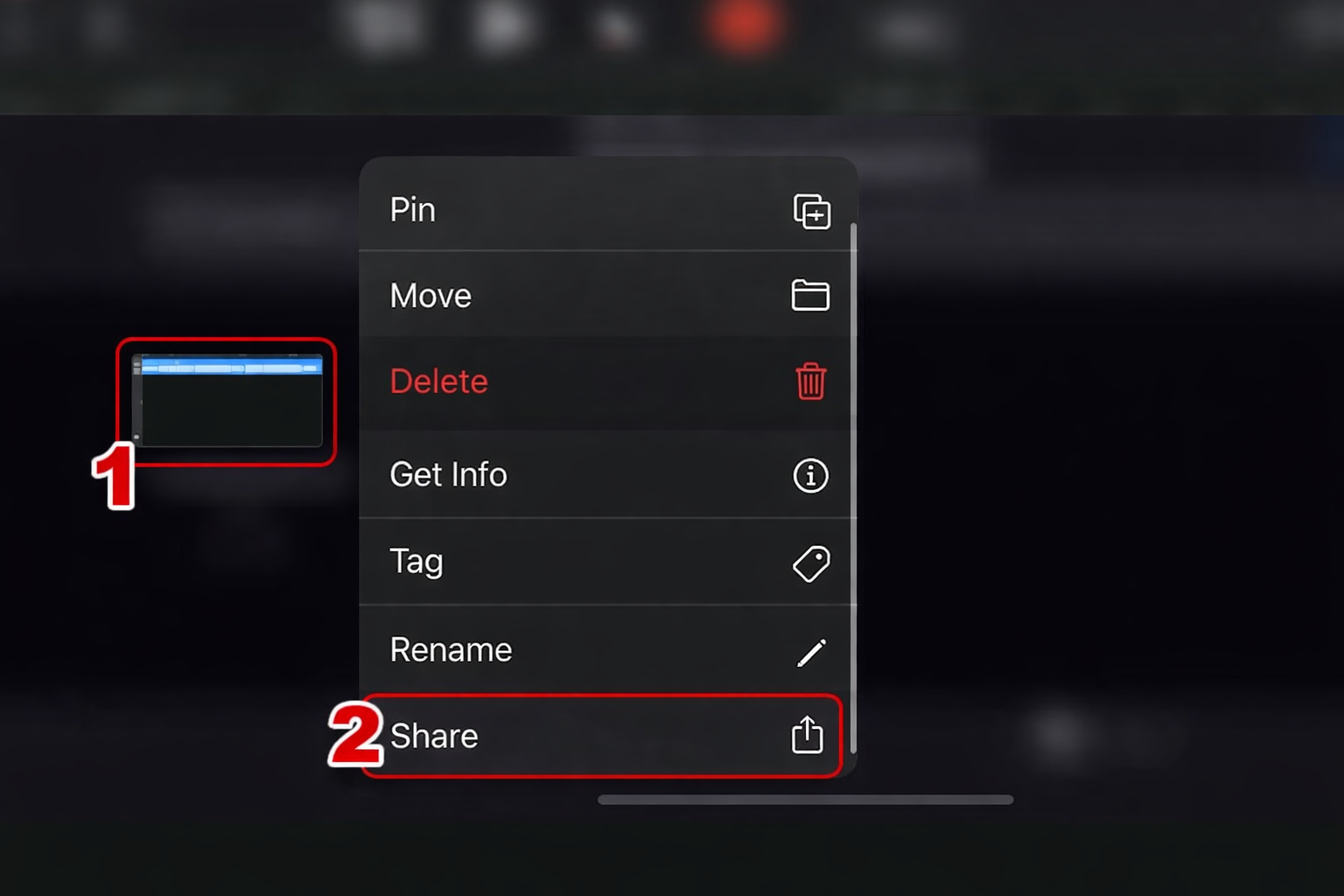
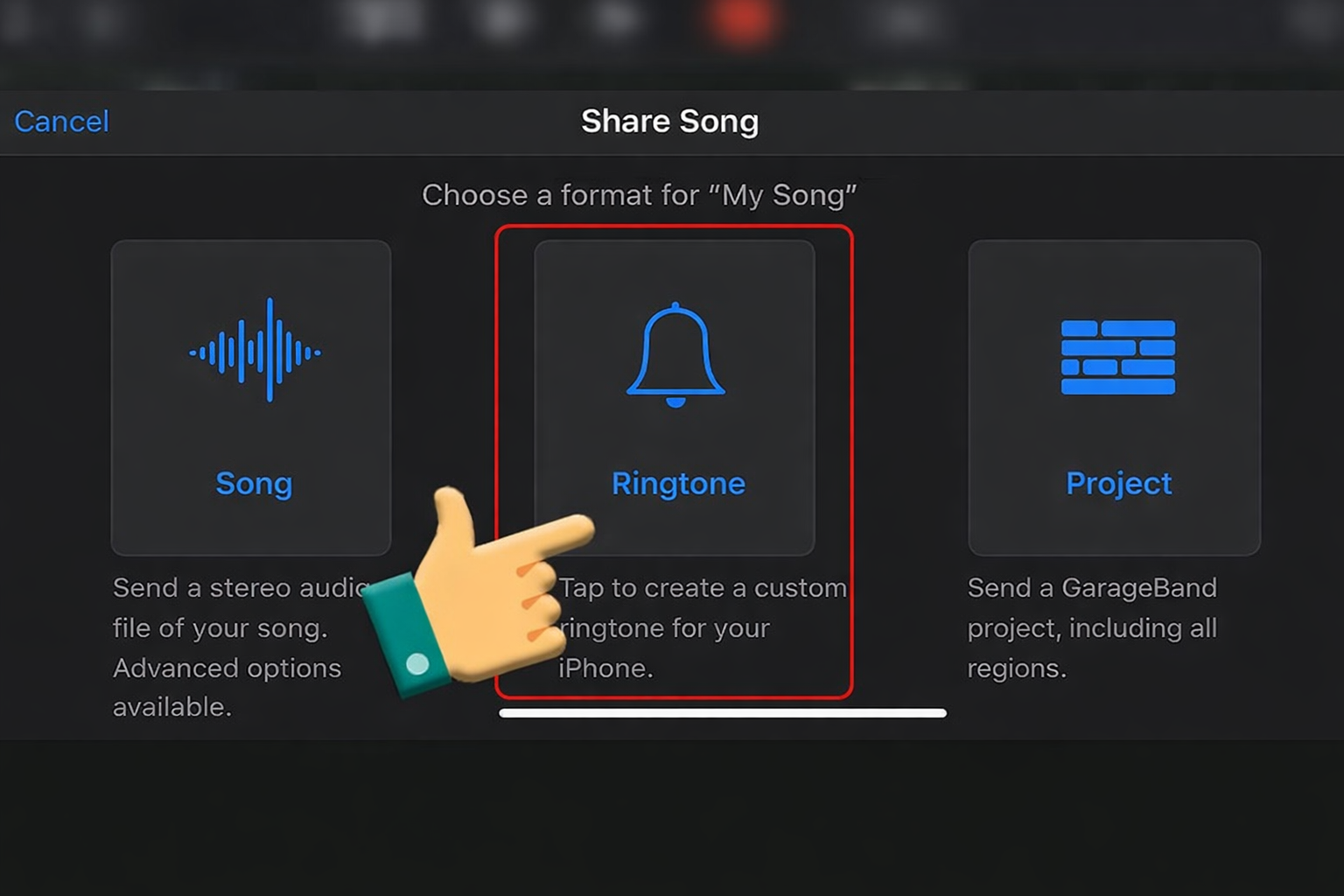
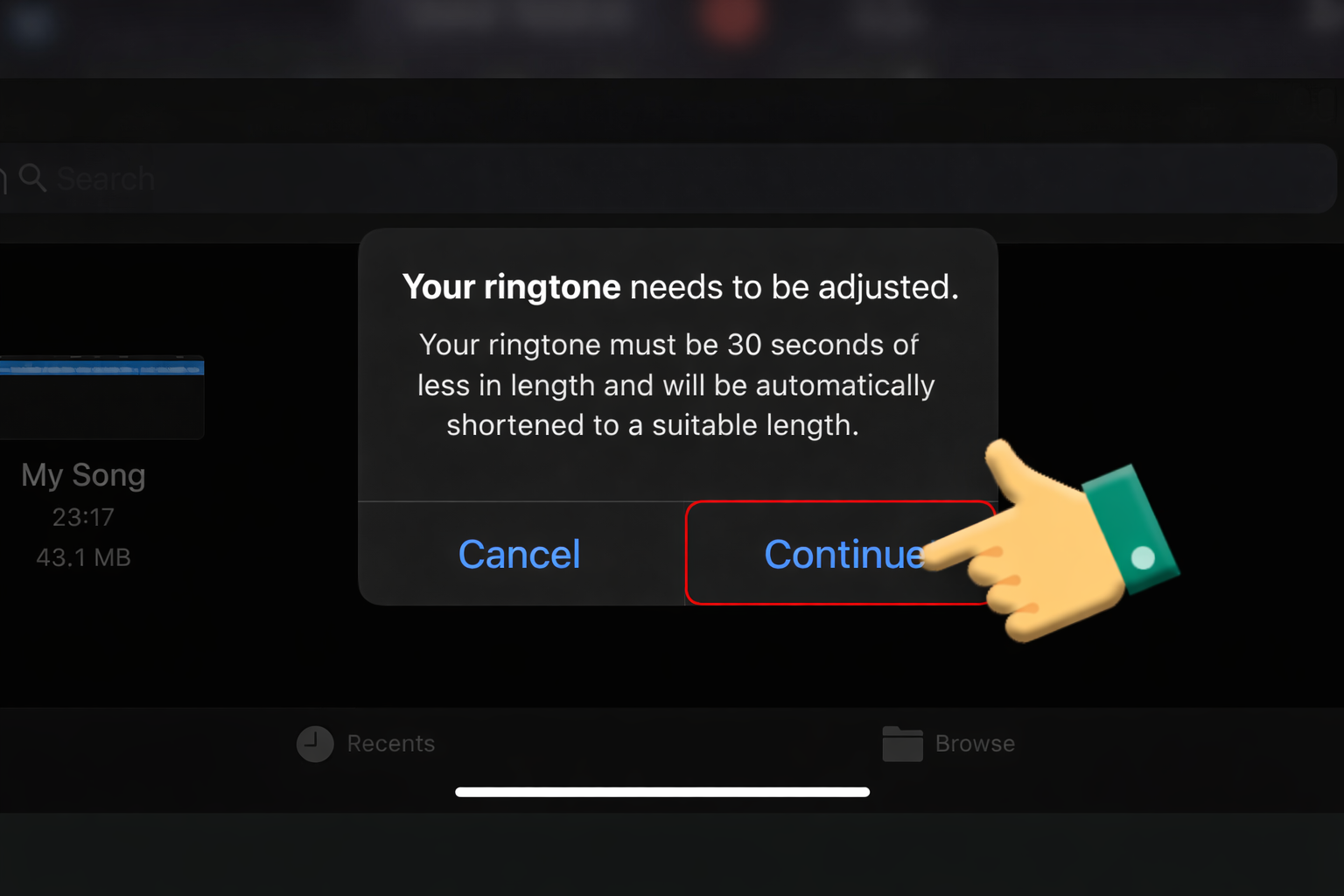
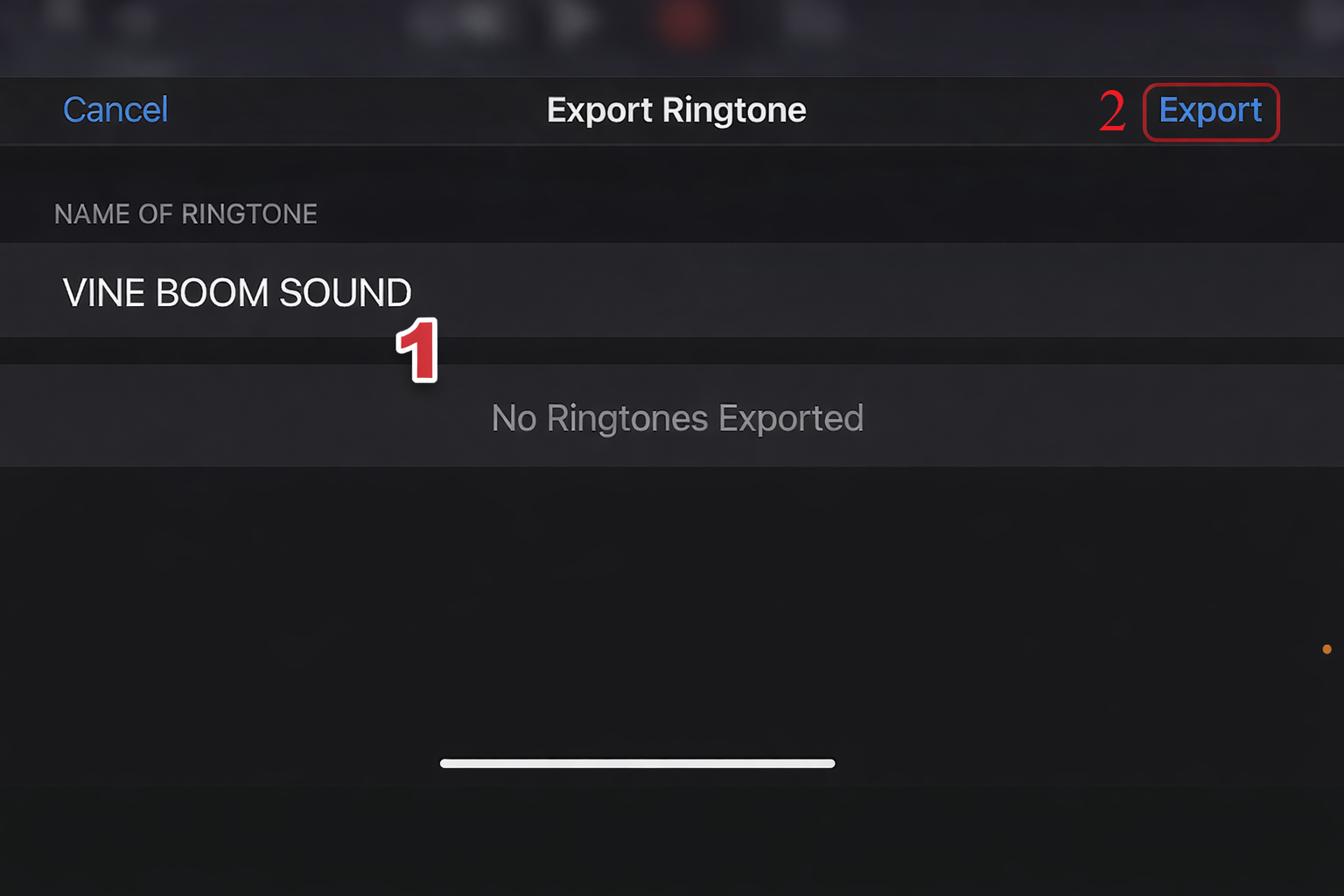
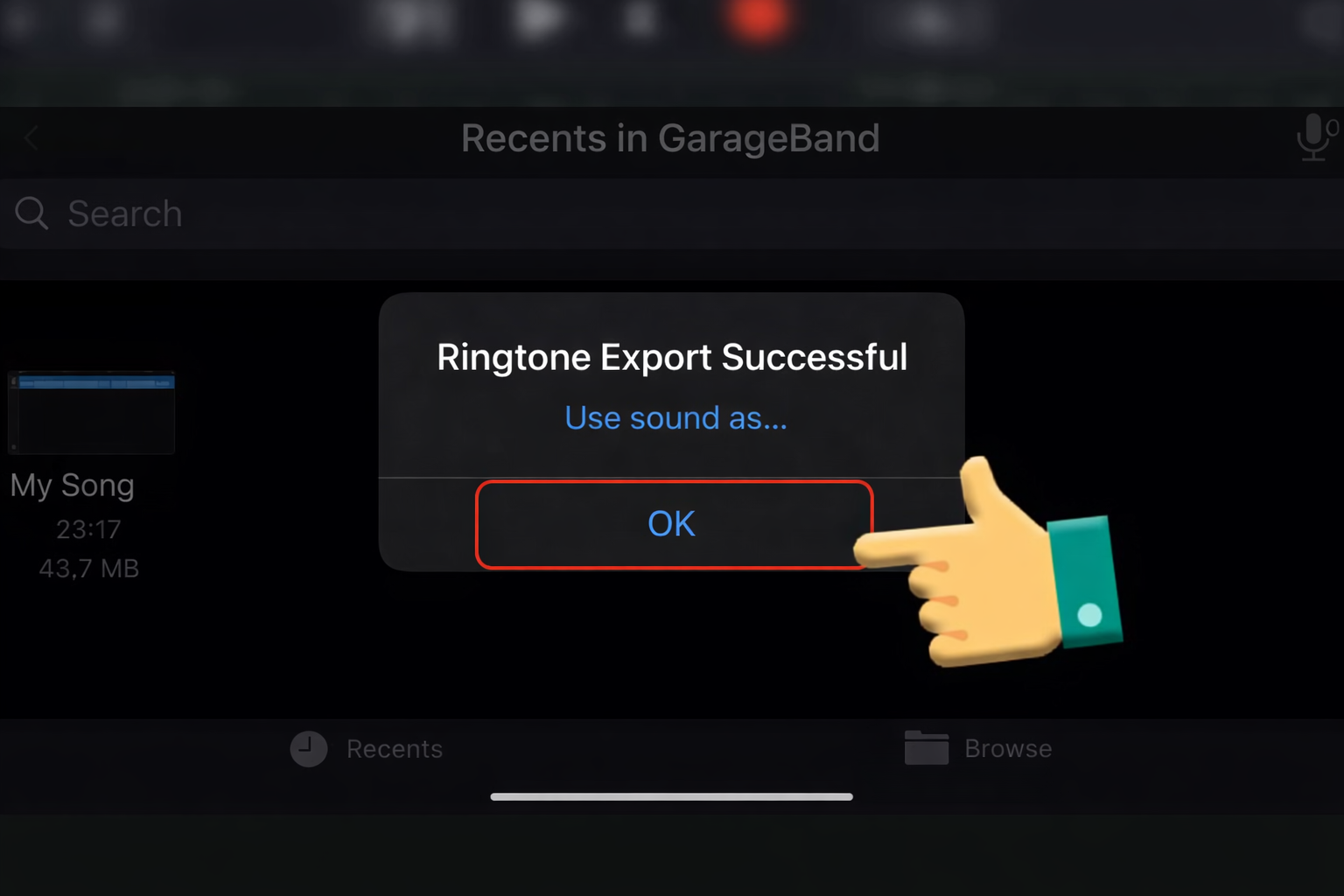
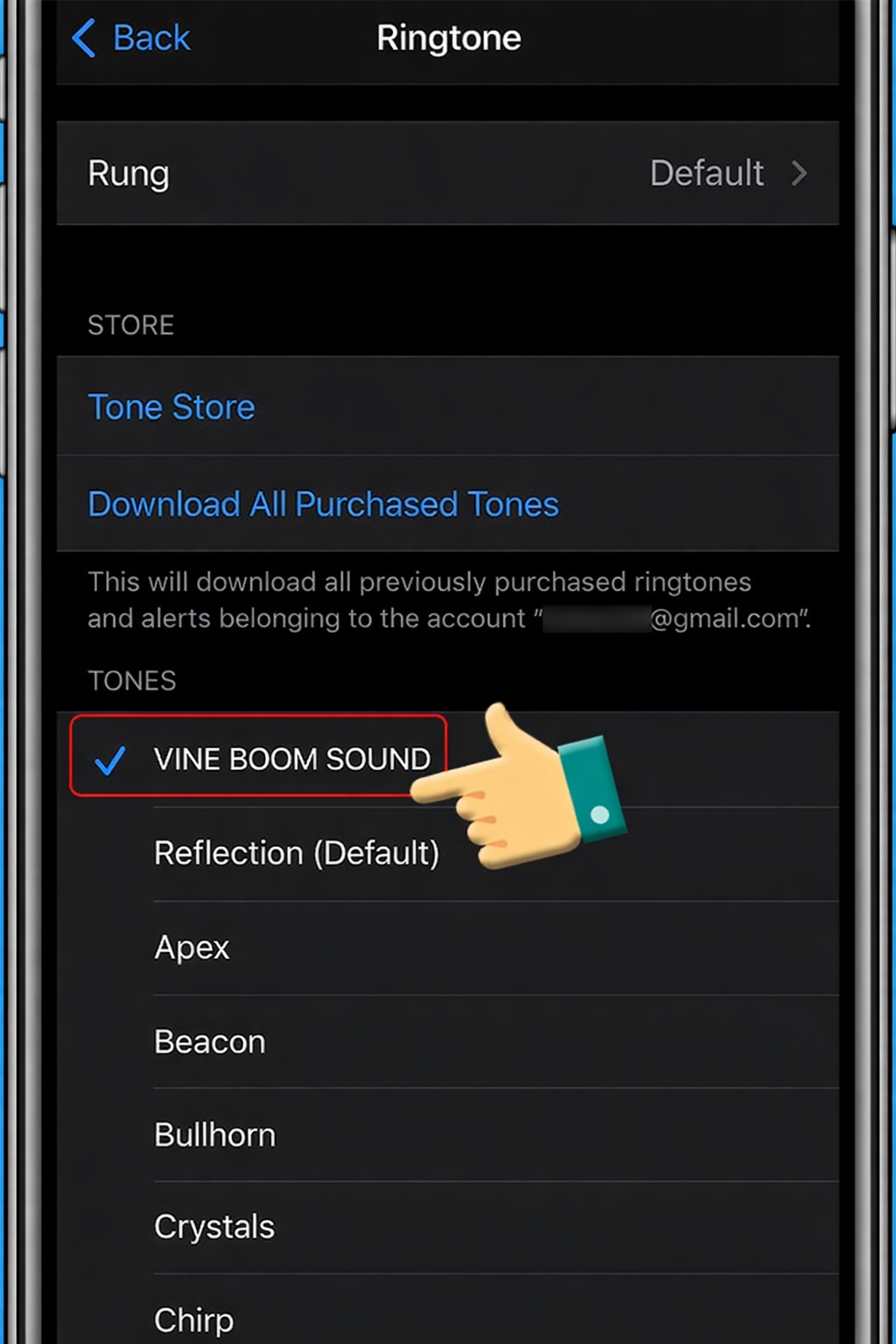
iPhone (using GarageBand):
- Import the sound file
- Trim under 30 seconds
- Export as ringtone
Android:
- Download the file
- Move to “Ringtones” folder
- Set in system sound settings
5. Variations & When to Use Them
| Version | Use Case | Effect |
|---|---|---|
| Bass Boosted | High-impact meme edits | Stronger punch |
| High Pitch | Light, ironic, or goofy content | Comedic twist |
| Slowed + Reverb | Dramatic or suspenseful moments | Cinematic feel |
| Multiple Booms | Over-edited or chaotic meme style | Absurd humor |
6. FAQ (Rich Snippet Ready)
Is the Vine Boom Sound copyrighted?
Most versions are reused in meme culture, but for commercial projects, check licensing or use royalty-free sources.
What file format is best?
WAV for editing (high quality), MP3 for sharing and quick use.
What sounds are similar?
Common alternatives include:
- Metal Pipe Sound
- Bruh Sound Effect
- Windows Error Sound
Final Take
The Vine Boom Sound is a core tool in modern meme editing. Its effectiveness depends entirely on timing and context. When used correctly, it transforms simple clips into highly engaging, shareable content.